
Branded Banner eZ•App
Streamline branding across multiple audiences

Managing distinct branding for multiple audiences within your Cornerstone portal can be a time-consuming challenge. The Branded Banner eZ·App by eSkillz Plehnia simplifies this process, providing unique and consistent branding across divisions without adding administrative burden.
When banner management drains your administrators’ time
Need a simple way to manage multiple branded experiences in Cornerstone?

Cornerstone administrators often struggle with the manual effort required to build and maintain custom-branded banner images across audiences.

Cornerstone’s standard setup often forces admins to create custom Organisational Unit configurations just to manage branding for different groups, adding extra work and complexity.

This leads to inconsistent branding and slower updates, as administrators must search for and modify individual configurations, wasting valuable time and effort.

Sleek and simplified branding
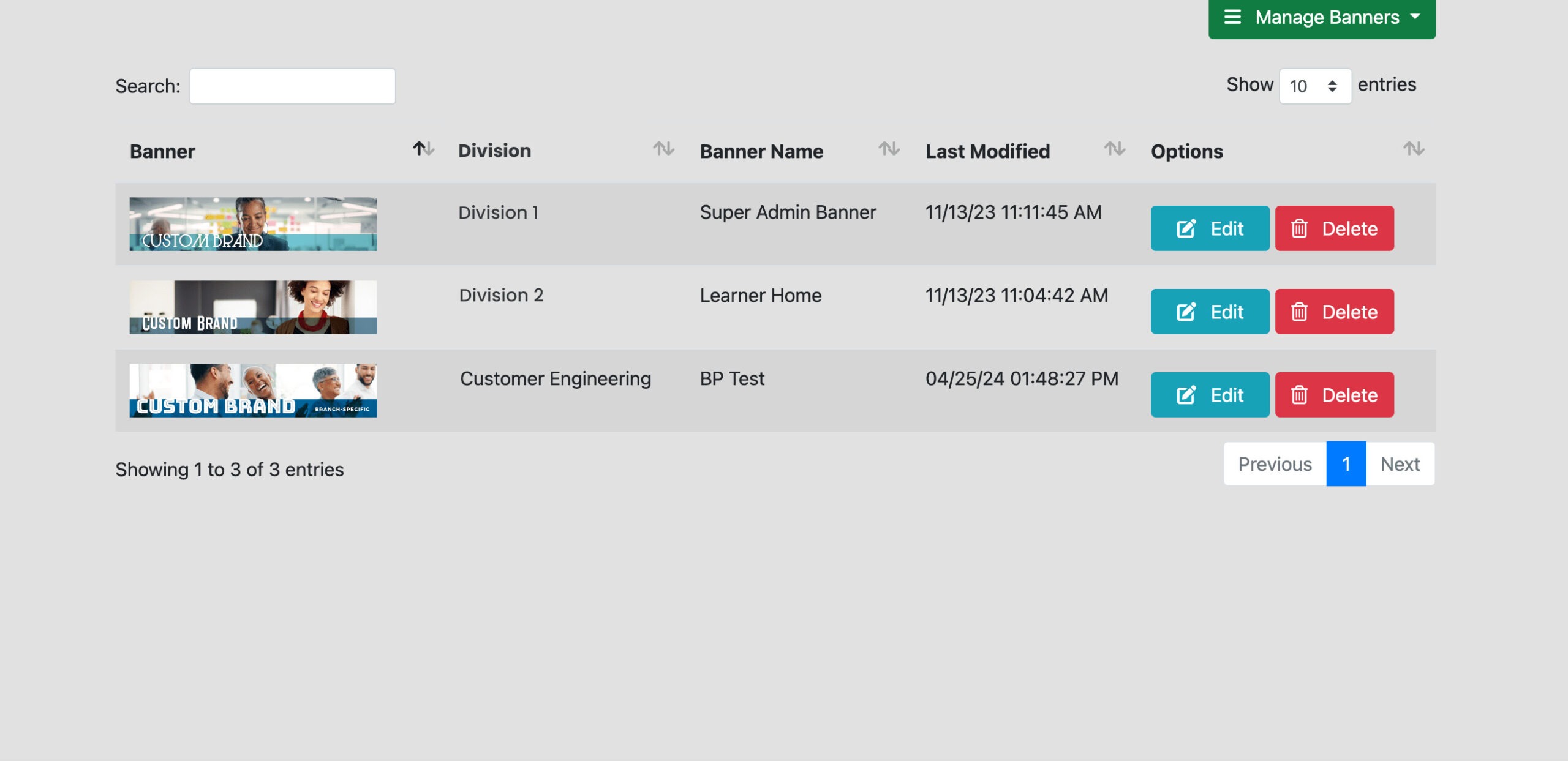
The Branded Banner eZ·App from eSkillz Plehnia simplifies banner management in Cornerstone by streamlining the process. Rather than creating and maintaining separate configurations for each audience, administrators can manage custom banners for all audiences from one intuitive dashboard. Everything is centralised, saving time and reducing effort.
Automatically display unique banners for each audience, eliminating the need for manual updates
Ensure every audience sees a familiar, branded environment, enhancing user trust and engagement
Save time by automating the banner management process, freeing up your administrators to focus on more strategic tasks
How we do it
Our tech experts integrate the Branded Banner eZ·App directly into your Cornerstone platform, giving administrators a single, intuitive interface to manage and update banners. Once banners are configured within the admin panel, the app automatically displays the correct banner based on the user’s OU, ensuring each audience sees the right branding without extra effort.